
You have less time to make a first impression online than it takes to read this sentence. Visitors form an opinion about your website in about 50 milliseconds, and that snap judgment determines whether they stick around or hit the back button instantly. For small business owners, that split-second reaction isn't just about looks. It's about whether someone calls you, books a service, or buys from you. This guide breaks down exactly how design shapes real business results, what your site actually needs to perform, and how to measure whether your current design is working or quietly costing you customers.
Table of Contents
- Why website design matters for small businesses
- Core elements of effective website design
- DIY vs. professional website design: Which path to choose?
- Key metrics to measure website design success
- Our perspective: What most guides miss about website design
- Take your website further with expert support
- Frequently asked questions
Key Takeaways
| Point | Details |
|---|---|
| First impressions count | Visitors decide to stay or leave your site within seconds based on design. |
| Design drives results | A well-designed site can dramatically boost trust, engagement, and sales. |
| DIY vs. pro approach | DIY works for basics, but professional design is vital for growth and compliance. |
| Measure to improve | Tracking bounce rate, conversions, and speed reveals your website’s real power. |
Why website design matters for small businesses
Most small business owners think of their website as a digital brochure. Something you set up once and forget about. That mindset is expensive. Your website is your hardest-working salesperson, available around the clock, and the design is everything about how that salesperson presents itself.
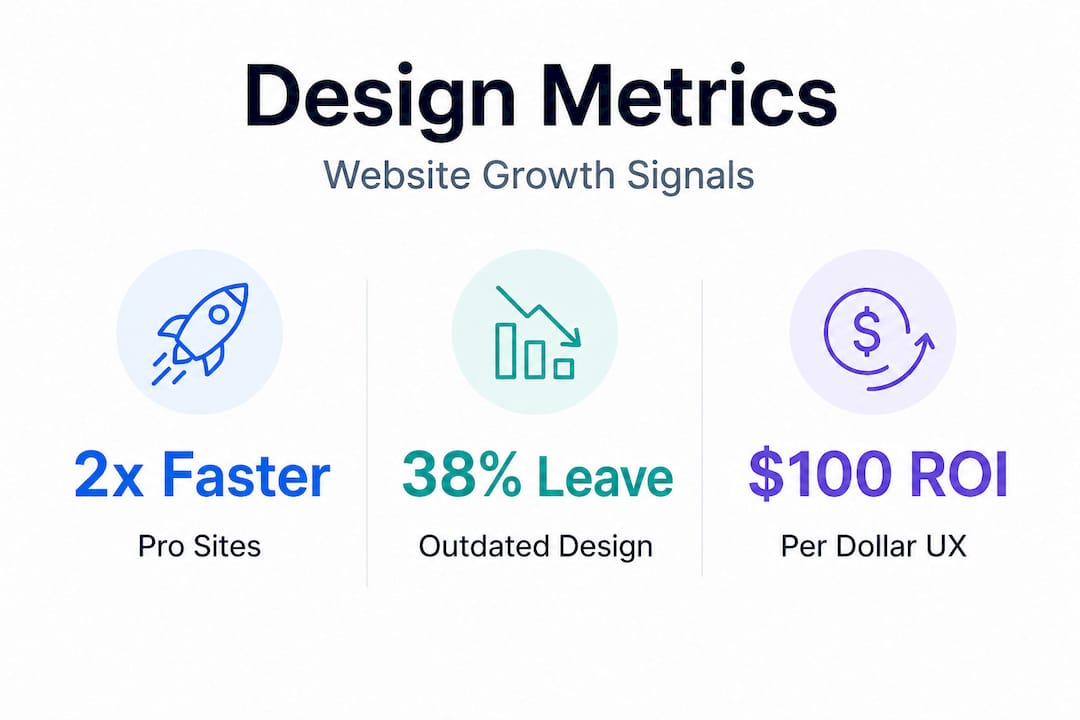
The numbers are hard to ignore. According to recent data, 38% of visitors leave a site that looks outdated or cluttered. Let that sink in. Nearly 4 out of 10 potential customers are walking out the door before they read a single word about what you offer. And it gets sharper from there: a one-second delay in page loading reduces conversions by 7%. If your site takes five seconds to load, you're not just losing patience; you're losing sales in a measurable, quantifiable way.
Here's what effective design actually accomplishes for a small business:
- Builds immediate credibility. A clean, professional layout signals that you run a serious operation. Cluttered pages, mismatched fonts, or blurry images signal the opposite.
- Guides visitors toward action. Great design isn't passive. It leads people from the homepage to a product page to a checkout or contact form without confusion.
- Reduces friction. Every unnecessary click, every slow-loading image, every confusing menu item is a reason for a visitor to leave. Good design removes those obstacles.
- Supports SEO performance. Search engines reward well-structured, fast, mobile-friendly sites. Design and professional web design services are directly tied to how discoverable you are online.
"A website that looks outdated tells customers you might operate the same way. First impressions in digital are permanent because most visitors never come back."
Think about your own behavior online. When you land on a site that feels dated or hard to navigate, you probably don't call the company and ask them to explain why. You leave. Your customers do the same thing to you every single day, and you may not even know it.

Core elements of effective website design
Now that you know design shapes user behavior, what does an effective business website actually need? The good news is that you don't need a massive budget or a complex site to convert visitors into customers. You need to get the fundamentals right.
Conversion-focused design research points to a clear set of principles. Clear CTAs above the fold, short contact forms, visible trust signals, and simple navigation consistently separate high-performing sites from underperforming ones. Here's how to put each into practice:
-
Place your call to action where it counts. Your CTA, whether it's "Book a free consultation," "Shop now," or "Get a quote," should appear in the top half of your homepage before anyone scrolls. If visitors have to hunt for how to contact you or buy from you, most won't bother.
-
Keep your forms short. Research shows that forms with three fields or fewer convert significantly better than long forms. If you're asking for a name, an email, and a phone number, that's already pushing it for first contact. Ask for only what you need right now.
-
Add trust signals. Testimonials, Google review ratings, before-and-after photos, and logos of brands you've worked with all serve as social proof. People trust other people's experiences more than they trust your own marketing copy.
-
Simplify your navigation. The three-click rule is a helpful guide: a visitor should be able to find any key piece of information within three clicks from the homepage. If your menu has seven main items and four dropdown levels, it's time to trim.
-
Design for how people actually read. Studies on eye-tracking show that users scan web pages in an F-pattern, reading across the top, then down the left side. Put your most important information, your headline, your CTA, your key benefit, in those prime zones.
-
Prioritize speed and mobile layout. More than half of web traffic comes from mobile devices. A site that looks great on a desktop but breaks on a phone is failing the majority of your visitors. Speed and mobile optimization are also major factors in SEO for small business rankings.
-
Think about your launching your online presence strategy from the start. Design decisions made during launch are much cheaper to get right the first time than to fix later.
Pro Tip: Run your site through Google's free PageSpeed Insights tool right now. It scores your site on speed and mobile performance and gives you specific fixes. If your score is below 70, that's a design and development problem worth addressing immediately.
DIY vs. professional website design: Which path to choose?
After understanding what great design involves, the next decision is whether to tackle it yourself or hire trusted professionals. Both paths have merit, but they lead to very different outcomes depending on your goals and where your business is right now.
The data is interesting here. Recent research shows that professional sites grow 2x faster than DIY-built sites, and every $1 invested in UX design returns approximately $100 in value. At the same time, about 83% of small businesses have websites, and 45% outsource their development to professionals.
Here's a side-by-side breakdown to help you decide:
| Factor | DIY (Wix, Squarespace, etc.) | Professional design |
|---|---|---|
| Upfront cost | Low ($15-$50/month) | Higher ($1,500-$10,000+) |
| Time investment | High (you do everything) | Low (team handles it) |
| Design quality | Template-limited | Custom and brand-specific |
| SEO optimization | Basic | Advanced and strategic |
| Conversion focus | Generic | Built around your goals |
| Long-term growth | Slower, plateaus early | Scales with your business |
| Compliance and security | Often overlooked | Managed by professionals |
DIY works well when:
- You're a solo operator just starting out and need a basic online presence
- Your budget is genuinely tight and you need something functional fast
- You plan to upgrade to professional design within the first year as revenue grows
Professional design pays off when:
- You're in a competitive local market and need to stand out
- Your site is your primary source of leads or sales
- You're running paid ads and need a landing page that actually converts
- You've already tried DIY and your site isn't producing results
Common DIY mistakes we see constantly: no clear CTA on the homepage, stock photos that look generic and untrustworthy, page speeds that tank because of unoptimized images, and mobile layouts that break. These aren't cosmetic issues. They directly cost you conversions every single day.
Exploring professional website design options doesn't mean handing over control. Good agencies collaborate with you so that the final product reflects your business, your voice, and your customers.
Key metrics to measure website design success
Whichever design path you choose, measuring results sets winners apart from wasted investments. You can't improve what you don't track, and too many small business owners launch a new site and then have no idea whether it's actually performing better than the last one.
Here are the metrics that matter most:
| Metric | What it measures | Healthy benchmark |
|---|---|---|
| Bounce rate | % of visitors who leave without clicking anything | Below 50% |
| Conversion rate | % of visitors who take a desired action | 2-5% for most small businesses |
| Page load time | Seconds for your page to fully load | Under 3 seconds |
| Pages per session | How many pages a visitor views per visit | 2+ pages |
| Mobile traffic share | % of visitors on phones or tablets | Check vs. your desktop experience |
| Time on page | How long visitors stay on a given page | Varies; longer is generally better |
These numbers tell a story about your design. A high bounce rate combined with low time on page usually means your homepage isn't delivering on what people expected when they clicked through. Slow page speeds combined with a low conversion rate is almost always a technical design problem.
The one-second delay stat isn't abstract. If you're running Google Ads and sending 500 visitors a month to a slow page with a 2% conversion rate, you're getting 10 conversions. Fix the speed and improve the page design to hit 3%, and you're suddenly at 15 conversions with zero additional ad spend.
Pro Tip: When you make a design change, document the date and the specific change in a simple spreadsheet. Then check your metrics two to four weeks later. This is the simplest way to connect design decisions to real outcomes without needing a data analyst.
Tracking improving website performance isn't just an SEO exercise. It's how you build a website that keeps getting better over time rather than staying static and losing ground to competitors who are iterating.
Our perspective: What most guides miss about website design
Here's something most agencies won't tell you because it doesn't serve their bottom line: not every small business needs a full redesign.
We've worked with business owners who came to us convinced they needed to tear everything down and start over. Sometimes they were right. But often, after looking at their actual analytics, what they needed was a faster server, a cleaner homepage layout, and a stronger CTA. A fraction of the cost of a full redesign, with most of the impact.
The question isn't "is my site beautiful?" The question is "is my site performing?" And those are very different questions. According to research on small business redesign decisions, a refresh is often sufficient when core metrics are healthy. A full overhaul becomes necessary only when foundational problems, like broken mobile layouts, slow speeds across the whole site, or a complete mismatch between the site's messaging and the business's current direction, can't be fixed with targeted updates.
Signs you need an overhaul:
- Your site doesn't work properly on mobile devices
- Your brand has changed significantly since the site was built
- You're embarrassed to share your URL with potential clients
- You've had the same homepage for more than four years with no changes
Signs a refresh is enough:
- Your bounce rate is under 55% and trending stable
- You get occasional inquiries but feel the volume could be higher
- Your design looks dated in one or two specific places, not everywhere
- Load times are acceptable but your CTAs feel weak
We've found that small business owners often treat a redesign like a magic cure. In reality, it's a tool. And like any tool, it works best when it's the right one for the job. Get insights on updates vs. redesigns before you commit to a full rebuild. The smartest investment is the one that solves your specific problem, not the biggest one on the menu.
Take your website further with expert support
If this article has shown you anything, it's that website design is less about making something pretty and more about building something that works. Design drives trust, traffic, and revenue when it's done with intention.
At SourcesNova, we've helped businesses across beauty, retail, service, and e-commerce industries build websites that actually perform. Whether you need expert web design help to fix what's broken, or you're starting fresh with a new online business launch and want to get it right the first time, we work with you directly. No jargon, no inflated retainers. Just clear strategy and execution that moves your numbers in the right direction. Reach out and let's look at what your site is actually doing, and what it could be doing instead.
Frequently asked questions
How quickly does website design impact customer trust?
Visitors form a first impression in milliseconds, and 38% will leave immediately if a site looks outdated. Trust is established or lost before most users read a single word.
What's the average ROI for investing in user experience design?
$1 invested in UX returns approximately $100, making it one of the highest-return investments a small business can make in its digital presence.
Is a total redesign always needed for better results?
No. A targeted refresh is often enough when your core metrics are strong. A full redesign is only necessary when foundational issues persist that can't be fixed with specific updates.
How can I tell if my website's design is hurting conversions?
High bounce rates and slow loading are the clearest signals. A one-second delay in page speed alone reduces conversions by 7%, and most visitors won't wait more than three seconds for a page to load.