
Website optimization is the process of improving your site's speed, usability, content quality, and search engine visibility to drive measurable business outcomes. Done well, it converts more visitors, earns higher rankings, and builds lasting credibility with both users and search engines. The core areas every site owner needs to address include:
- Performance: Page load speed, server response times, and resource delivery
- SEO fundamentals: Crawlability, indexing, keyword targeting, and metadata
- User experience (UX): Responsive design, intuitive navigation, and accessibility
- Content quality: Relevance, depth, keyword alignment, and regular updates
- Authority signals: Backlinks, internal linking, and reputable citations
- Security: HTTPS/SSL certificates and secure data handling
Google's Core Web Vitals framework measures Largest Contentful Paint (LCP), Interaction to Next Paint (INP), and Cumulative Layout Shift (CLS) as direct ranking signals. Meeting the thresholds — LCP at or below 2.5 seconds, INP at or below 200ms, CLS at or below 0.1 — is now a baseline requirement, not a bonus. Technical and content strategies must work together; optimizing one without the other leaves significant ranking potential on the table.
Table of Contents
- How do you optimize a website for performance, UX, and SEO?
- What SEO fundamentals does every website need?
- What are the real benefits and challenges of website optimization?
- How do you start optimizing your website from scratch?
- Which technical optimizations deliver the highest ROI?
- Sourcesnova handles website optimization so you can focus on your business
- Key Takeaways
How do you optimize a website for performance, UX, and SEO?
Effective website optimization combines technical improvements, user-centered design, and content strategy into a single, coordinated effort. The following techniques address each dimension with clear, prioritized steps.
Performance optimization
- Compress and convert images. Switch from JPEG and PNG to WebP or AVIF formats. Pair that with
srcsetandsizesattributes so browsers serve appropriately sized images for each device — mobile, tablet, and desktop — rather than scaling down a single large file. - Enable browser caching. Set cache-control headers so returning visitors load your pages from local storage instead of re-downloading every asset.
- Minify CSS, JavaScript, and HTML. Remove whitespace, comments, and redundant code from your files. Tools like Terser for JavaScript and cssnano for CSS handle this automatically in most build pipelines.
- Deploy a Content Delivery Network (CDN). A CDN distributes your assets across servers worldwide, reducing Time To First Byte (TTFB) by 40–70% according to recent research, so a visitor in Dallas and one in Seattle both load from a nearby node rather than a single origin server.
- Implement lazy loading. Defer the loading of images and videos below the fold until the user scrolls toward them. This reduces initial page weight and speeds up perceived load time.
- Enable Brotli compression. At the server level, Brotli reduces text-based resource sizes by 15–25% more than Gzip, making it a straightforward server configuration win.
User experience improvements
Good UX is not just about aesthetics. Search engines measure how users behave on your site, and poor experience signals — high bounce rates, short session durations — feed directly into ranking algorithms.
- Responsive design: Your site must reflow cleanly across screen sizes. Use CSS media queries and flexible grid layouts rather than fixed-width containers.
- Accessibility: Add descriptive alt text to images, use semantic HTML elements (
<nav>,<main>,<article>), and verify sufficient color contrast ratios. Accessibility improvements often overlap with SEO gains. - Intuitive navigation: Limit top-level menu items to seven or fewer, use descriptive labels, and place the most important pages within two clicks of the homepage. Good website design directly affects how long visitors stay and whether they convert.
- Clear calls to action: Every page should have one primary action you want the visitor to take. Ambiguity costs conversions.
Content optimization
Content is where authority is built and where search intent gets satisfied. Thin, outdated, or poorly structured content undermines every technical improvement you make.
- Conduct keyword research using tools like Google Keyword Planner, Ahrefs, or Semrush to identify terms your audience actually searches for.
- Align each page to a single primary keyword and a cluster of related terms. Stuffing multiple competing keywords onto one page dilutes relevance.
- Structure content with a clear H1, logical H2/H3 hierarchy, and short paragraphs. Search engines parse heading structure to understand topic relationships.
- Update existing pages regularly. A page that was accurate in 2023 may now be outdated, and Google's quality raters flag stale content as a credibility signal.
Authority building
Backlinks from reputable, relevant sites remain one of the strongest ranking signals. Earning them requires producing content worth citing — original research, detailed guides, or tools that solve real problems. Internally, link related pages together with descriptive anchor text so search engines understand your site's topical structure. A solid small business SEO guide will walk you through both link-building fundamentals and internal linking strategy in detail.


What SEO fundamentals does every website need?
Search engine optimization is the discipline of making your site legible, relevant, and trustworthy to search engines. Without these foundations, even a fast, well-designed site can remain invisible in search results.
-
Crawlability and indexing: Submit an XML sitemap to Google Search Console so Googlebot can discover all your pages. Use a properly configured
robots.txtfile to block pages you do not want indexed (admin panels, duplicate content, staging URLs). Set canonical URLs on pages with similar content to prevent duplicate indexing from splitting your ranking signals. -
Keyword research and intent targeting: Every page should target a specific search intent — informational, navigational, or transactional. A product page optimized for "buy running shoes online" serves a different intent than a blog post targeting "how to choose running shoes." Mismatching intent and content is one of the most common reasons pages fail to rank despite strong technical scores.
-
On-page SEO elements: The Michigan Tech SEO guide identifies title tags, meta descriptions, heading structure, and URL format as the core on-page signals. Title tags should be 50–60 characters and include the primary keyword near the front. Meta descriptions do not directly affect rankings but influence click-through rates — write them as concise value propositions, not keyword lists.
-
URL structure: Use short, descriptive, lowercase URLs with hyphens separating words. Avoid dynamic parameters like
?id=1234where a clean slug like/services/web-designis achievable. -
Performance monitoring: Google Search Console shows which queries drive impressions and clicks, where your pages rank, and which pages have indexing errors. Pair it with Google Analytics 4 to track user behavior — session duration, bounce rate, and conversion paths. These two free tools give you the data needed to make informed optimization decisions rather than guessing.
-
Schema markup: Structured data (JSON-LD format) helps search engines understand your content type — product, article, FAQ, local business — and can trigger rich results in the SERP, increasing click-through rates without changing your ranking position.
Pro Tip: Set up a Google Search Console property before you make any major site changes. It gives you a baseline of impressions, clicks, and average position so you can measure whether your optimizations are actually moving the needle.
What are the real benefits and challenges of website optimization?
Benefits
The business case for optimization is concrete, not theoretical.
- Faster load times improve user retention. Visitors who encounter slow pages leave quickly, and that exit behavior signals poor quality to search engines. Speed improvements reduce abandonment before a visitor even sees your content.
- Higher search rankings drive organic traffic. Ranking on page one versus page two is not a marginal difference. The first organic result captures a disproportionate share of clicks compared to positions further down the page.
- Better conversion rates. A site that loads fast, communicates clearly, and guides visitors toward a clear action converts at a higher rate. Speed, UX, and content quality compound each other.
- Stronger brand credibility. A professional, well-performing site signals that the business behind it is competent and trustworthy. For service businesses especially, the website is often the first impression.
- Compounding SEO returns. Unlike paid advertising, organic rankings built through optimization continue delivering traffic without ongoing spend. The investment pays forward.
Common challenges
Optimization is not a one-time project, and several obstacles trip up small business owners in particular.
- Technical knowledge gaps. Implementing CDNs, configuring server headers, or auditing JavaScript bundles requires skills many business owners do not have in-house. This is where a trusted digital partner adds direct value.
- Resource constraints. Time and budget are finite. Prioritizing which optimizations deliver the highest return requires data, not instinct.
- Balancing SEO and UX. Keyword-heavy content can read unnaturally. Aggressive ad placements boost short-term revenue but damage user experience and CLS scores. These tensions require deliberate trade-offs.
- Third-party scripts. Analytics tags, chat widgets, social media embeds, and ad pixels each add latency. A site with fifteen third-party scripts running on every page load is fighting its own performance goals.
- Ignoring mobile. Mobile devices account for a substantial share of global web traffic, and Google uses mobile-first indexing — meaning it evaluates the mobile version of your site for ranking purposes. Skipping a thorough mobile optimization checklist is a direct ranking liability.
- Neglecting ongoing monitoring. Optimization is not a launch-and-forget task. Algorithm updates, new competitors, and content decay all erode rankings over time without active maintenance.
How do you start optimizing your website from scratch?
Starting from zero does not require a large budget or a technical background. The key is sequencing: audit first, then prioritize, then execute.
-
Run a baseline performance audit. Use Google PageSpeed Insights and Lighthouse (built into Chrome DevTools) to score your site on performance, accessibility, SEO, and best practices. These tools flag specific issues with clear descriptions and suggested fixes. For a broader technical audit, Screaming Frog crawls your site and surfaces broken links, missing metadata, and duplicate content.
-
Set goals tied to business outcomes. "Improve site speed" is not a goal. "Reduce LCP from 4.2 seconds to under 2.5 seconds on mobile within 60 days" is. Specific, measurable targets keep optimization efforts focused and make it possible to evaluate results.
-
Prioritize high-impact quick wins. Image compression, enabling a CDN, and minifying CSS/JS files typically deliver the largest performance gains for the least effort. These should be addressed before more complex changes like server-side rendering or database optimization.
-
Build a content and SEO plan. Identify your five to ten most important pages. For each, confirm the target keyword, check that the title tag and meta description are optimized, and verify that internal links point to and from that page. A structured on-page SEO checklist applied consistently across your key pages produces faster results than sporadic improvements across the whole site.
-
Address mobile experience explicitly. Test every key page on an actual mobile device, not just a browser emulator. Check tap target sizes, font readability without zooming, and form usability. A mobile optimization checklist should cover layout, touch interactions, and load speed on a 4G connection.
-
Establish a monitoring routine. Check Google Search Console weekly for indexing errors and ranking changes. Review PageSpeed Insights monthly after making changes. Set up uptime monitoring so you know immediately if your site goes down. Optimization without measurement is guesswork.
Which technical optimizations deliver the highest ROI?
The techniques below are validated by performance research and consistently produce the largest measurable gains. They are also where many small business sites leave the most performance on the table.
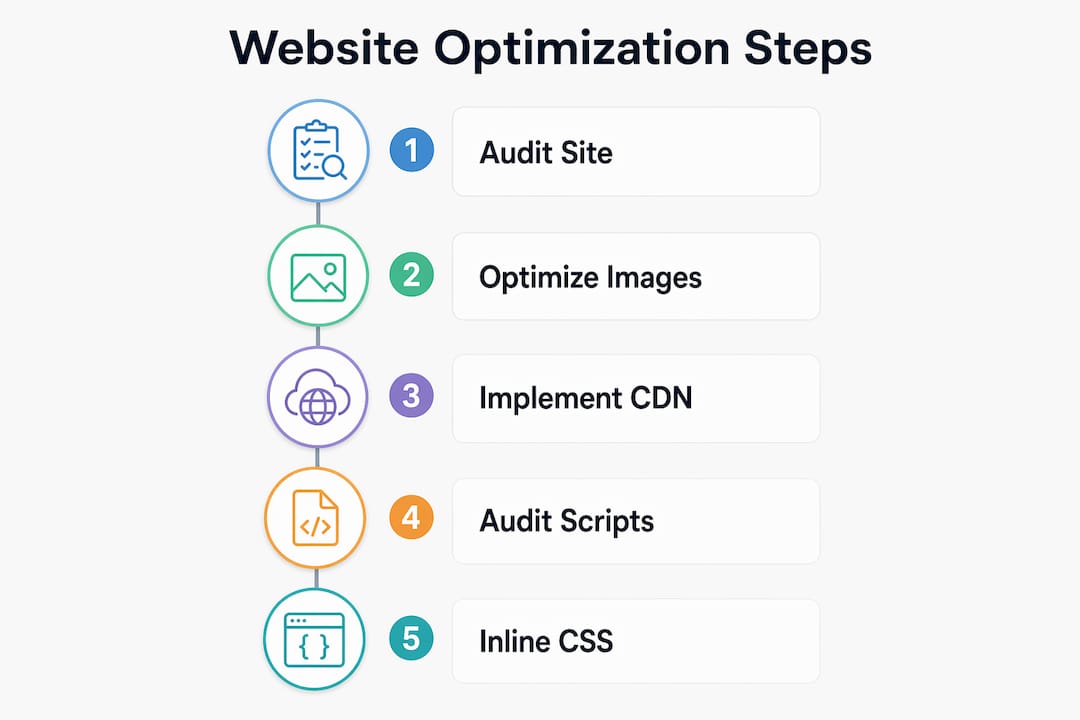
Image optimization with modern formats
Switching to WebP or AVIF and implementing responsive srcset attributes can significantly reduce page weight. That is not a marginal improvement. For image-heavy sites — e-commerce, portfolio, restaurant menus — this single change often produces the largest LCP improvement of any optimization on the list. Pair format conversion with responsive attributes so each device receives an appropriately sized file rather than a desktop-resolution image scaled down by CSS.
CDN deployment
A CDN reduces Time To First Byte substantially by serving assets from servers geographically close to each visitor. For businesses with a national or regional audience, CDN deployment is one of the highest-leverage infrastructure decisions available. Cloudflare, Fastly, and Amazon CloudFront are widely used options with free or low-cost tiers suitable for small business sites.
Third-party script auditing
Each non-critical third-party script — analytics, chat widgets, social embeds, ad pixels — can add noticeable latency per script. A site running ten such scripts simultaneously may be adding several seconds to its load time from this source alone. Audit every script on your site, defer those that are not needed for initial render, and remove any that are no longer actively used. This often outperforms CSS/JS minification in real-world speed gains.
Critical CSS inlining and JavaScript deferral
Inlining the CSS required to render above-the-fold content and deferring non-critical JavaScript can save 1–3 seconds in render time. Render-blocking resources force the browser to pause page construction until they finish loading. Eliminating that bottleneck is one of the most direct paths to a passing LCP score. Tools like Critical (npm) extract and inline critical CSS automatically.
Core Web Vitals as your measurement framework
LCP, INP, and CLS are not just ranking signals — they are diagnostic tools. LCP tells you whether your main content loads fast enough. INP measures how quickly your page responds to user interactions. CLS flags layout shifts that disrupt the reading experience. Tracking all three in Google Search Console's Core Web Vitals report gives you a structured framework for prioritizing which fixes to make next.
Key figure: Switching to WebP/AVIF with responsive
srcsetreduces page weight by 50–70%, making image optimization the single highest-ROI technical change for most small business websites.
Pro Tip: Lab tools like Lighthouse measure performance under controlled conditions. Real users experience different network speeds, devices, and locations. Monitor your Chrome User Experience Report (CrUX) data in Google Search Console to catch regressions that lab tests miss — real-user monitoring is what protects your rankings after you have made improvements.
Sourcesnova handles website optimization so you can focus on your business
Most small business owners know their site needs work. The gap is not awareness — it is time, expertise, and knowing where to start. Sourcesnova was built specifically to close that gap.
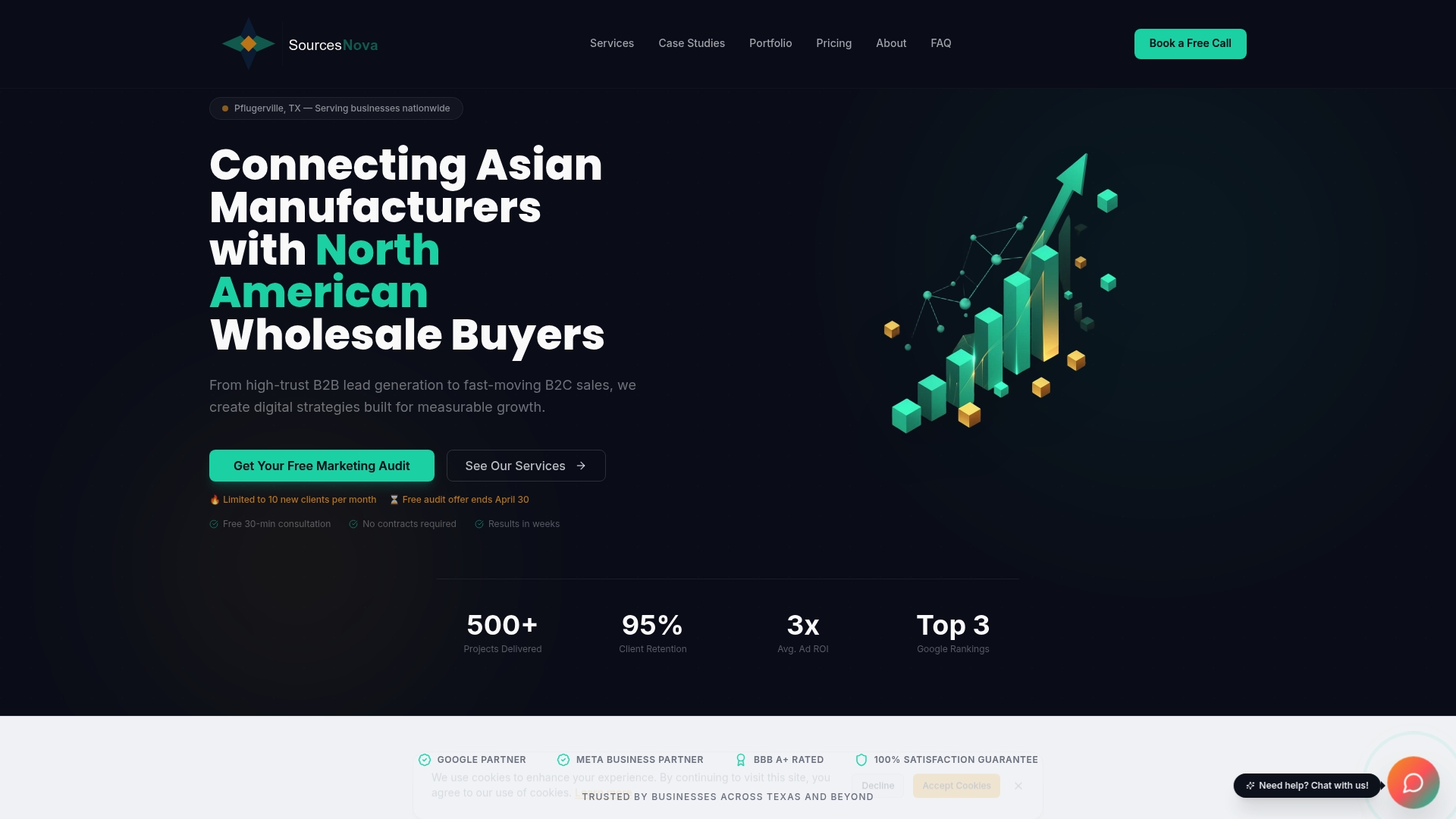
Sourcesnova is a full-service digital growth agency that handles the complete optimization picture for local and small-to-mid-size businesses: technical performance, on-page SEO, content strategy, and UX improvements — all executed by a team that treats your site like a business asset, not a checkbox. No bloated monthly contracts, no jargon-filled reports that obscure what is actually being done. Clients across retail, e-commerce, beauty, and service industries work with Sourcesnova because they want measurable results, not activity reports.
If your site is slow, ranking poorly, or failing to convert visitors into customers, the next step is straightforward: contact Sourcesnova for a clear assessment of what is holding your site back and a concrete plan to fix it.
Key Takeaways
Website optimization requires a coordinated approach across performance, SEO, content, and UX — no single fix produces lasting results without the others.
| Point | Details |
|---|---|
| Image optimization delivers the biggest gains | Switching to WebP/AVIF with responsive srcset reduces page weight by 50–70%. |
| CDN deployment cuts server response time | Deploying a CDN reduces Time To First Byte (TTFB) by 40–70%, offering much faster content delivery across all locations. |
| Third-party scripts are a hidden speed cost | Each non-critical script adds latency; audit and defer them regularly. |
| Core Web Vitals are ranking signals | Google uses LCP (≤2.5s), INP (≤200ms), and CLS (≤0.1) as direct SEO ranking factors. |
| Sourcesnova manages the full process | Sourcesnova handles technical optimization, SEO, and content strategy for SMBs end to end. |