
Most business owners treat the website design process as a one-time creative project. You hire someone, pick colors, write some copy, and launch. Then, six months later, the site isn't converting visitors, the design feels disconnected from your brand, and you're looking at a costly rebuild. A poorly managed web design workflow is one of the most common and expensive mistakes growing businesses make. This guide walks you through every stage of a structured, results-driven process so you can oversee your next project with clarity and confidence.
Table of Contents
- Key takeaways
- Planning and prerequisites for website design
- From sitemap to wireframes
- Visual design and prototyping
- Development, testing, and launch
- Common pitfalls to avoid
- My honest take on what most businesses get wrong
- How Sourcesnova approaches web design differently
- FAQ
Key takeaways
| Point | Details |
|---|---|
| Start with clear goals | Define business objectives and user goals before touching any design tool. |
| Structure before visuals | Build your sitemap and wireframes first to prevent costly redesigns later. |
| Test before you launch | Prototype and usability test early to catch issues that are cheap to fix now and expensive after launch. |
| Security is not optional | Design security into the site architecture from day one, not as an afterthought. |
| Maintenance drives ROI | A launch is not an endpoint. Ongoing updates and performance monitoring protect your investment. |
Planning and prerequisites for website design
Before any design work begins, you need a clear picture of what the site must accomplish and for whom. This phase is where most projects either succeed or fail quietly. Skipping it feels like saving time. It isn't.
Start by documenting your business objectives. Do you want more inbound leads? Online sales? Appointment bookings? Each goal shapes different design decisions, from page layout to call-to-action placement. Once you have clear business goals, define your user goals. What does your target visitor need to accomplish on your site? The overlap between what you need and what your visitor needs is where great websites live.
Next, identify who on your team has decision-making authority. Unclear decision chains are a leading cause of project delays. Designate one primary stakeholder who signs off on approvals. Then gather your technical requirements early, including platform preferences, hosting needs, and any integrations like CRM tools or booking systems.
Research is non-negotiable at this stage. Review competing sites in your industry, noting what works and what doesn't. Documented workflows with detailed tasks and deadlines prevent budget overruns and keep your project on track. Define your scope clearly in writing before any contract is signed.
Key materials and tools to gather during this phase:
- Brand guidelines (logo, color palette, typography)
- Existing copy, photography, and product or service descriptions
- Analytics access for any current website
- Competitor site references and design inspiration
- Content management system (CMS) preference or requirements
Pro Tip: Write a one-page project brief before your first design meeting. It should cover the site's primary goal, the top three pages by priority, and the one action you want every visitor to take. This single document will save hours of back-and-forth later.
| Prerequisite | Why it matters |
|---|---|
| Business goal statement | Aligns design decisions to measurable outcomes |
| User persona summary | Keeps navigation and content relevant to real visitors |
| Technical constraints list | Prevents platform surprises mid-project |
| Scope document | Protects budget and timeline |
From sitemap to wireframes
Once your planning is solid, the first real design deliverable is the sitemap. A sitemap defines the structure of your website: which pages exist, how they connect, and how users move through the site. Think of it as the blueprint before the architecture.

A well-built sitemap balances two logics at once. Business logic says, "We need a Services page, an About page, and a Contact page." User logic says, "Will visitors actually find what they're looking for using this structure?" When those two perspectives conflict, user logic should win. A site organized around your internal departments instead of your customers' questions will underperform, regardless of how good it looks.
After the sitemap, wireframing begins. Wireframes are low-fidelity layouts showing where elements like headlines, images, buttons, and forms will live on each page. They have no color, no fonts, no finalized copy. Their only job is to establish hierarchy and flow. This is the right time to ask hard questions about page structure, not after a developer has spent 20 hours building it.
Common wireframe and sitemap tools worth knowing:
- Figma: Industry standard for collaborative wireframing and design
- Whimsical: Clean, fast tool for flowcharts and basic wireframes
- Miro: Useful for sitemaps and team workshops
- Balsamiq: Purpose-built for low-fidelity sketching
Aligning your content strategy to wireframes at this stage also matters. A standard website design covers 8 to 10 phases, and content planning belongs early, not as a last-minute task before launch. When you know what each page needs to say before you design it, the layout becomes far more intentional. Placeholder content leads to placeholder design.
Visual design and prototyping
With wireframes approved, visual design begins. This is where the site starts to look like a real website. But before jumping into full mockups, smart designers and teams start with mood boards or style tiles. These are collections of colors, typography, imagery, and UI elements that define the visual direction. They take hours to build, not days, and they surface disagreements early when changes cost nothing.
Full-fidelity mockups come next. These are pixel-accurate representations of each key page, designed at desktop and mobile breakpoints. Responsive design is not optional. Mobile-first design is now the standard, and designing for desktop alone creates serious UX gaps when most visitors are on phones.
How to manage the feedback and revision cycle effectively:
- Limit feedback rounds to two or three per design phase
- Require written feedback rather than verbal notes
- Separate subjective preferences ("I don't love that blue") from functional concerns ("The CTA button is hard to find")
- Collect all stakeholder feedback in one document before revision begins
Prototype validation before development prevents costly post-launch usability issues. A clickable prototype lets real users navigate the site before a single line of code is written. This is one of the highest-return activities in the entire web design workflow.
Pro Tip: When presenting mockups to stakeholders, always show the mobile version first. It forces the conversation to focus on what actually matters and prevents teams from obsessing over desktop details that most visitors will never see.
Development, testing, and launch
Design approval triggers the development phase. At this point, a clean handoff document becomes critical. Designers should export assets, annotate spacing and interaction behavior, and share the design file in a format developers can work from directly. Missed details in handoffs are where time and money disappear.
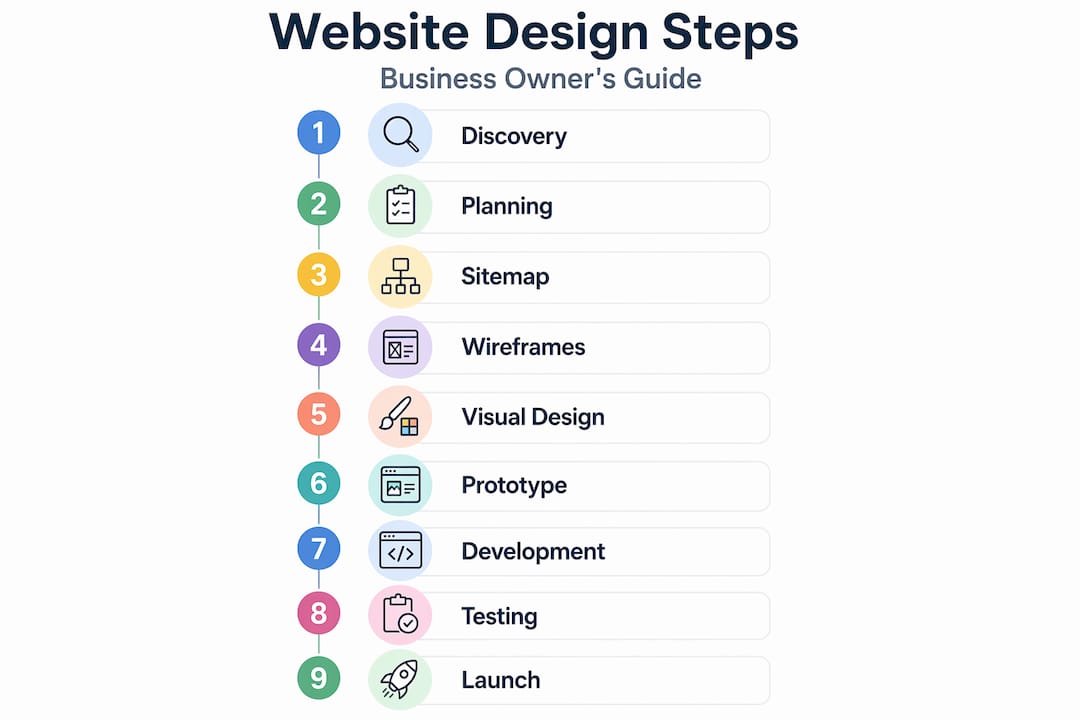
During development, quality assurance (QA) testing runs in parallel. Functional testing checks that every button, form, and link works correctly. Cross-browser and cross-device testing confirms the site performs consistently. Security built in early costs far less than addressing vulnerabilities after launch.
Pre-launch checklist:
- All pages reviewed and approved by the stakeholder
- 301 redirects set up for any old URLs
- Google Analytics and Search Console connected
- Page speed tested and optimized
- SSL certificate installed and active
- XML sitemap submitted to search engines
- Contact forms tested with real submissions
- CRM or lead tracking integration confirmed
Post-launch maintenance often gets treated as optional. It isn't. Platforms, plugins, and browsers update constantly. A site that isn't maintained becomes a security liability and a performance drag. The importance of website design extends well past the launch date.
| Maintenance task | Recommended frequency |
|---|---|
| CMS and plugin updates | Monthly |
| Performance and speed audit | Quarterly |
| Security scan | Monthly |
| Content and SEO review | Quarterly |
| Broken link check | Monthly |
Common pitfalls to avoid
Even well-resourced projects run into the same avoidable problems. Recognizing them early is more valuable than any design tip.
- Skipping discovery: Rushing past early phases creates long-term strategic problems that cost significantly more to fix later. A single discovery session can surface issues that would have derailed the entire project.
- Treating design and development as silos: Designers who never talk to developers build things that can't be built efficiently. Developers who build without design context make layout decisions that hurt UX. Regular cross-functional check-ins are non-negotiable.
- Ignoring lead generation pathways: Contact forms on high-traffic pages synced with lead-tracking systems significantly boost conversion. Too many sites treat contact forms as an afterthought instead of a strategic tool.
- Neglecting mobile responsiveness: Designing for desktop first and adapting for mobile creates awkward compromises. Build mobile-first from the wireframe stage.
- Scope creep: Every added page or feature mid-project costs more than it appears. Changes to scope require a formal approval process.
"A website that was built without a plan is just an expensive brochure." This is a point Sourcesnova returns to repeatedly with new clients. Design without strategy produces aesthetics without results.
Pro Tip: Set a formal change request process before the project starts. Any addition to the original scope gets documented, priced, and approved in writing before work begins. This one habit eliminates most of the budget and timeline surprises in web projects.
My honest take on what most businesses get wrong
I've worked on or overseen enough website projects to recognize a pattern. Business owners spend the most time and budget on the visual design phase and the least time on discovery and planning. It's understandable. Visuals are tangible. Planning feels abstract.
But in my experience, the sites that generate real growth are almost never the prettiest ones. They're the ones built on a clear understanding of what the business needs to achieve and how actual customers think and behave. When you skip that foundation, you end up with a beautiful site that no one can navigate and no one converts on.
I've also seen how much damage unclear stakeholder communication causes. Not bad design. Not budget shortfalls. Just vague feedback, shifting approvals, and decisions made by committee. A structured web design workflow forces those conversations to happen at the right time, before they become expensive problems.
The importance of website design goes far beyond appearance. It's about building a system that works for your business every day, not just on launch day.
— Tran
How Sourcesnova approaches web design differently
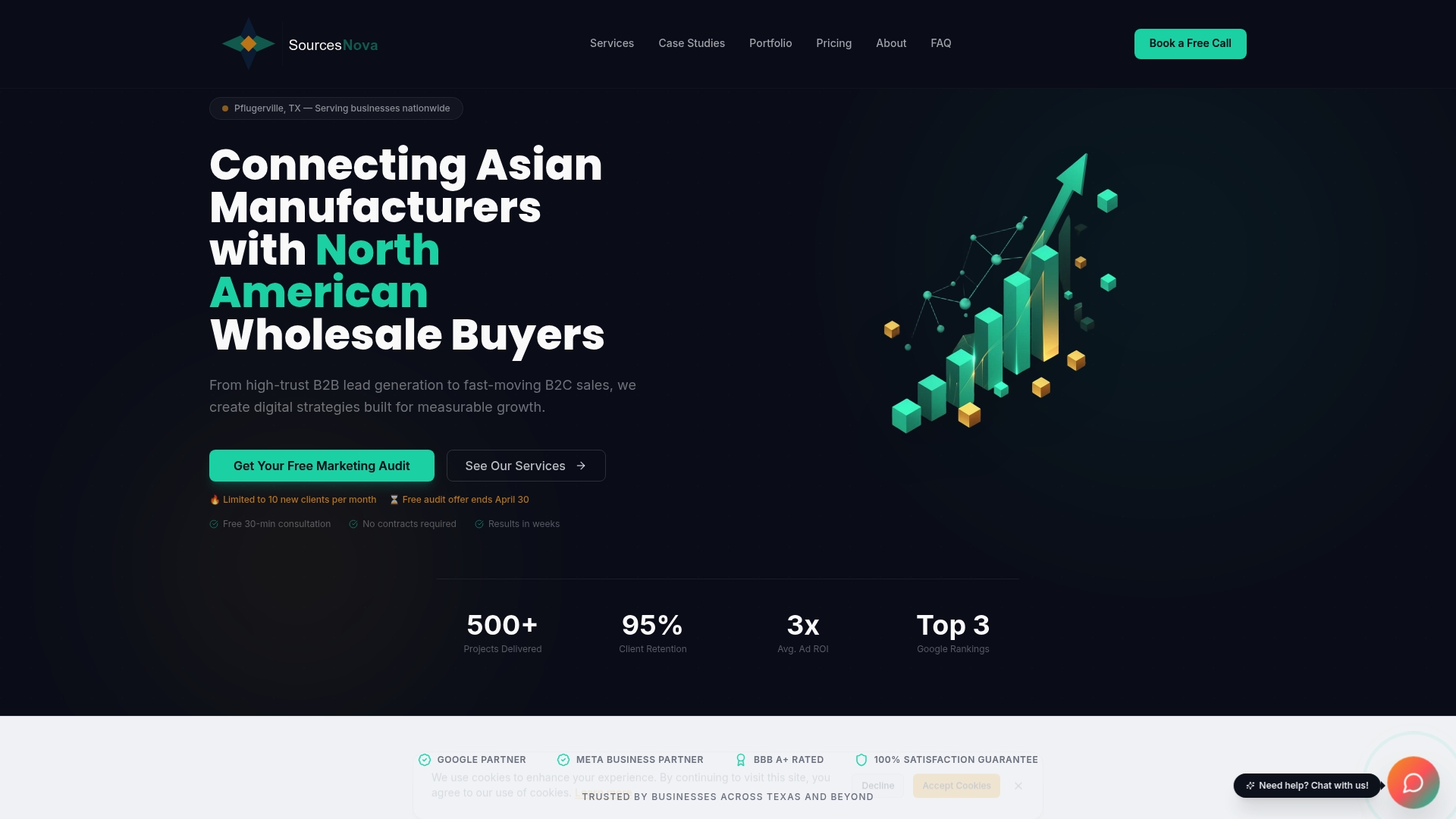
Sourcesnova works with small and mid-size businesses that need a website built around growth, not just good looks. Every project starts with a discovery phase, moves through a documented web design workflow, and ends with a site that is tested, optimized, and ready to generate leads from day one. The team integrates CRM mapping, lifecycle-aware CTAs, and SEO best practices into every build. No bloated retainers, no handwaving about "strategy." Clear deliverables, real execution, and a team that treats your business like their own. If you're ready to build a site that actually works, Sourcesnova is the place to start.
FAQ
What are the main steps in website design?
A standard website design process covers 8 to 10 phases: discovery, planning, sitemap, wireframing, visual design, content, development, testing, launch, and maintenance. Each phase builds on the previous one, and skipping any phase increases the risk of costly revisions later.
How long does the website design process take?
Most professional website projects take 6 to 16 weeks depending on scope, content readiness, and feedback turnaround. The biggest variable is usually how quickly stakeholders provide approvals and feedback.
Why does planning matter so much before design begins?
Rushing past the planning stage leads to strategic and technical problems that are far more expensive to fix after the site is built. Clear goals, user research, and documented scope protect your budget and prevent scope creep.
How do I make sure my website generates leads?
Place contact forms on high-traffic pages and connect them directly to a CRM or lead-tracking system so no submissions get lost. Lifecycle-aware calls to action tied to CRM workflows improve both lead capture and sales follow-through.
What is the cost range for professional website design?
Agency website projects typically range from $5,000 to $20,000 for landing pages, with enterprise CMS solutions starting around $375 per month. Costs depend heavily on scope, platform, and the level of custom design and development required.